
Shopping List: My Grocery List
Komorebi Inc.Shopping
4.91.06K Reviews
- Version
- 4.6
- Installs
- 100.00K
- Age Rating
- Everyone
Screenshots
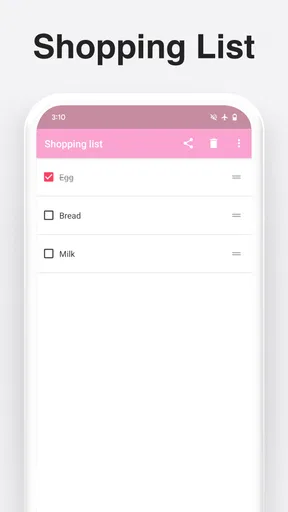
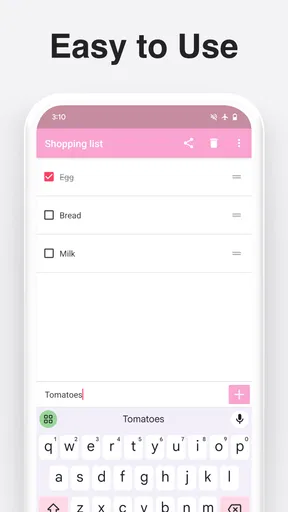
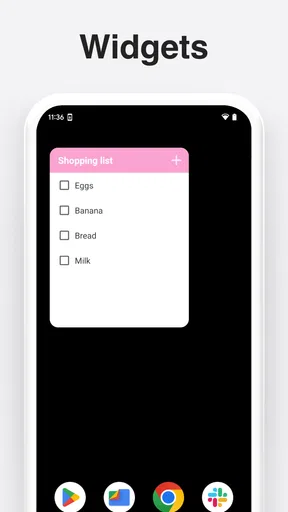
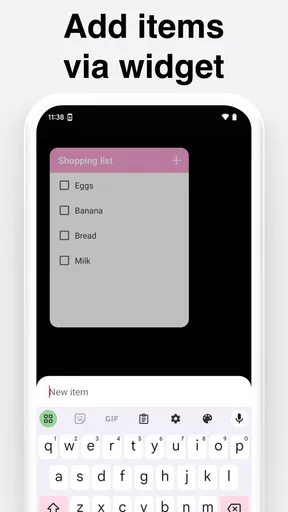
Our Review of Shopping List: My Grocery List
 Analysis by Appyee
After the novelty of a new shopping app wears off, I think the useful question is simple: does it make the next ordinary grocery trip easier, without creating another chore to maintain? Shopping List: My Grocery List is built around a familiar habit—writing down what you need—and its value depends less on flashy extras than on whether you keep the list current. In my experience, that makes it worth considering if you want a straightforward place for household shopping plans.
A quick start that suits familiar routines
The appeal is immediate if you usually remember groceries at inconvenient times: you can put an item on a list instead of trusting your memory until the next shop. The basic idea is easy to understand, and the app’s focus on list-making keeps the task clear. It is a shopping app from Komorebi Inc., released on April 3, 2018, and it remains free to download. Its Everyone age rating also makes it suitable for a shared household device, though each person will still need to get used to the way the list is organized.
For a first test, I’d start with one list for the next grocery run rather than trying to plan every household purchase at once. Add the items you already know you need, then check the list when you notice something running low. That small routine shows whether a dedicated list feels more convenient than a note on paper or a general notes app. If it saves you from making a second trip for a forgotten staple, it has already proved its practical value.
What makes it useful after the first shop
Categories can make a mixed list easier to follow once you are in the store. Instead of scanning one long stream of entries, you can group things such as dairy, vegetables, and snacks. I find this most helpful when a list is long enough that I would otherwise keep scrolling or worry that I missed something. It is less important for a quick stop for two items, so I would not spend time organizing every tiny list just for the sake of neatness.
Sharing is more meaningful when two people are genuinely responsible for the same shopping. A partner can add a forgotten ingredient while the other person is already planning a trip, which is more useful than sending a string of separate messages. For a household, agreeing to add requests to the shared list as soon as they come up can prevent the usual last-minute “can you also get…” exchange. The trade-off is that shared lists need a little cooperation: if one person keeps using texts or a separate note, the app cannot make the household’s habits consistent by itself.
The app has a 4.9 average from around eleven thousand ratings, and it has passed one hundred thousand installs. Those figures suggest that many people find the basic approach appealing, but they do not tell me whether it will fit your routine. I would judge it by a more personal test: can you open it quickly, add what you need, and rely on the list when you reach the shop?
The habit matters more than the decoration
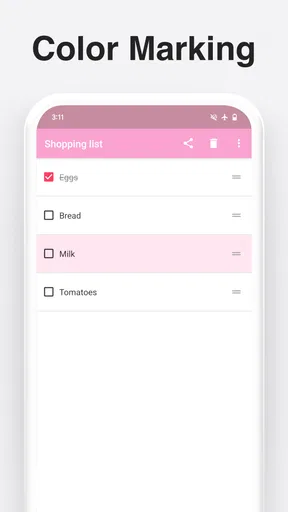
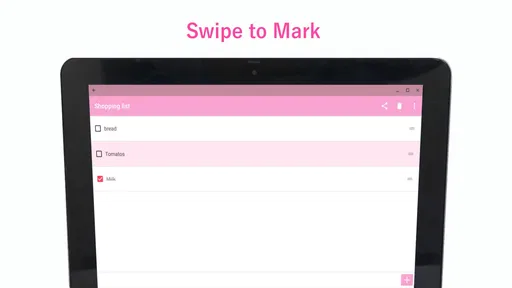
Personalizing lists with colors or themes can make the screen feel more inviting, and checking items off gives a clear sense of progress while shopping. Those touches are pleasant, but they are not what keeps a list useful over several months. The stronger reason to return is having the current set of groceries in one place. If you find yourself spending more time choosing a look than adding useful items, keep the setup simple and put the effort into the habit instead.
Remembering frequently purchased items can also help when you make a repeat list. For a household that buys the same basics each week, this may reduce the effort of starting from scratch. A practical approach is to treat the list as a working record: remove items that are no longer needed, add replacements when you notice supplies running low, and avoid keeping old entries simply because they might be useful someday. That bit of upkeep makes the next trip easier; an overgrown list does the opposite.
Where I would draw the line
The app’s current version is 4.6, and it is listed for devices running OS version 9 or later. Optional in-app purchases are available at $7.99 per item, so the download is free but not every possible extra is necessarily included at no cost. I would begin with the free experience and only consider a purchase if I had a specific need that the included list-making already failed to meet. The app is best approached as a practical grocery tool, not as a reason to spend money before you know whether you will keep using it.
It may not be the right choice if you want a full meal-planning system, detailed budgeting, or a complicated household inventory. A general notes app can be a better fit if you only make occasional lists and want grocery reminders alongside unrelated notes. Paper can be preferable if you like writing by hand or do not want to check your phone in the store. The advantage here is having a dedicated shopping list and sharing option; the limitation is that a focused tool will not replace every planning method.
For a realistic routine, imagine noticing that coffee, fruit, and dish soap are running low on different days. Add each when you notice it, then let the person making the weekend shop check the shared list before leaving. At the store, categories can help you work through the list without retracing your steps as often. This workflow depends on both people entering requests promptly, but it avoids relying on one person to remember everything. It is a small coordination improvement, not a guarantee that every shopping trip will be perfectly organized.
My long-term recommendation
Shopping List: My Grocery List is most appealing to people who buy groceries regularly, repeat many of the same essentials, or coordinate shopping with someone else. It asks for little commitment at the beginning, and its core purpose is easy to understand. I would be less enthusiastic about it for someone who rarely shops, already has a reliable list habit elsewhere, or expects a grocery app to handle meal planning and household stock automatically.
Ever found yourself wandering through the aisles, trying to recall if you needed milk or eggs? It happens to the best of us. That's where Shopping List: My Grocery List comes in to save the day. I’ve been using it for a while now, and let me tell you, it's a game-changer for anyone who loves efficiency as much as I do. Let’s dive into why this app deserves a spot on your home screen.
Intuitive Interface
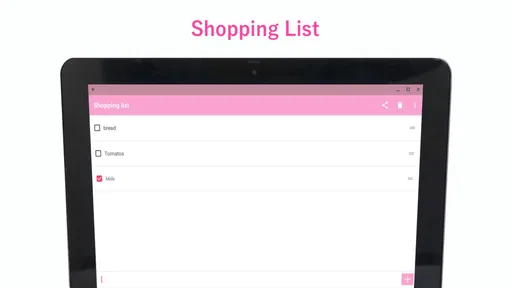
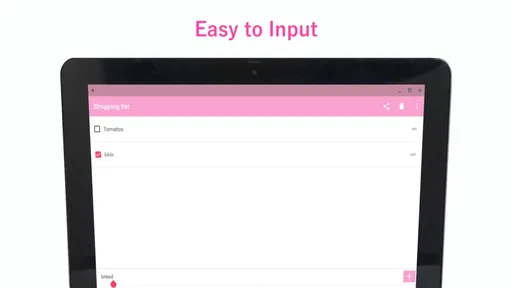
The first thing you’ll notice about Shopping List: My Grocery List is its clean and intuitive interface. You don’t need a degree in rocket science to figure it out. The app is designed with simplicity in mind, allowing you to quickly add items to your list without any fuss. Just tap on the screen, type your item, and boom—it's added. No unnecessary bells and whistles here.
Features that Make Life Easier
Now, let's talk about the features. This app isn’t just about creating a list. It’s about making your grocery shopping as smooth as possible. First up, the ability to categorize items. Whether it's dairy, veggies, or snacks, you can neatly organize everything. This might sound trivial, but trust me, when you're in a hurry, it makes a world of difference.
Another highlight is the ability to share lists. Imagine planning a party and sending the list to your partner or roommate. No more back-and-forth texts asking if they got the chips. It syncs in real-time, so everyone is on the same page—literally.
Customizable and User-Friendly
Customization is key, and this app doesn’t disappoint. You can personalize your lists with different themes and colors. It's a small touch, but it adds a bit of fun to the mundane task of shopping. Plus, it’s incredibly satisfying to check off items as you go.
The app also remembers frequently purchased items, making future list creation a breeze. This feature is a huge time-saver, especially if you buy the same essentials every week.
Seamless Integration and Accessibility
One of the things I love most is how well this app integrates with other devices. Whether you’re on your phone, tablet, or even a smartwatch, your list is always accessible. It’s like having a personal shopping assistant in your pocket.
For those who are tech-savvy, the app also supports voice input. Just speak the items you need, and the app does the rest. It’s perfect for when your hands are full, or you’re just feeling a bit lazy.
Why You Should Download It
If you’re still on the fence, let me give you a nudge. This app is perfect for anyone looking to streamline their grocery shopping. It’s efficient, easy to use, and incredibly handy. Plus, it’s free to download, with optional in-app purchases if you want to unlock extra features.
So, next time you’re planning your grocery run, give Shopping List: My Grocery List a try. It’s one of those apps that once you start using, you’ll wonder how you ever lived without it. Trust me, your future self (and shopping cart) will thank you.
Verdict
Strengths of Shopping List: My Grocery List
- Easy-to-use interface for quick list creation.
- Syncs across devices for seamless access.
- Customizable categories for better organization.
- Voice input feature saves time and effort.
- Share lists with family or roommates easily.
Limitations of Shopping List: My Grocery List
- No offline mode can limit access.
- Ads may disrupt the user experience.
- Limited integration with grocery delivery services.
- Some features locked behind a paywall.
- Occasional syncing issues reported by users.
Similar Picks in This Category
View All
SHEIN-Shopping Online
Roadget Business PTE. LTD.4.8

Amazon Shopping
Amazon Mobile LLC4.4


Mercado Libre: Compras online
Mercado Libre4.8

Wish: Shop and Save
Wish US Holdings LLC4.7

Alibaba.com - B2B marketplace
Alibaba Mobile4.4
Frequently Asked Questions
Is Shopping List: My Grocery List free to use?
Yes, Shopping List: My Grocery List is free to download and use on both Android and iOS devices. However, there may be optional in-app purchases available that offer premium features, such as ad removal or additional customization options, to enhance your experience.
Can I share my grocery lists with others?
Absolutely! Shopping List: My Grocery List allows users to share their lists with friends and family. You can easily sync your lists in real-time, ensuring everyone stays updated on what items have been purchased or need to be added, making collaborative shopping a breeze.
Does the app work offline?
Yes, the app is designed to work offline, so you can access and edit your grocery lists without an internet connection. This is especially useful when shopping in areas with poor connectivity. Any changes made offline will sync automatically once you're back online.
How customizable is the app?
Shopping List: My Grocery List offers a variety of customization options. Users can categorize items, set priorities, and even add custom notes or images to each item. The app also allows personalization of themes and colors to match your preferences, making it user-friendly and adaptable.
What security measures are in place for my data?
The app employs robust security protocols to protect your data. Information such as your grocery lists and personal settings are securely stored and encrypted. Additionally, the app provides options to back up your data to the cloud, ensuring your lists are safe and accessible from any device.
